
Download. Install. Wrestle.
- 120MB installer, sketchy mirror
- Toolbars stacked four deep
- Destructive edits, fragile undo
Record a take. Edit by waveform or transcript. Clean up noise, shape the sound with EQ and effects, and export a finished clip—or a ZIP of named chapters. Free, no account, all from a tab.
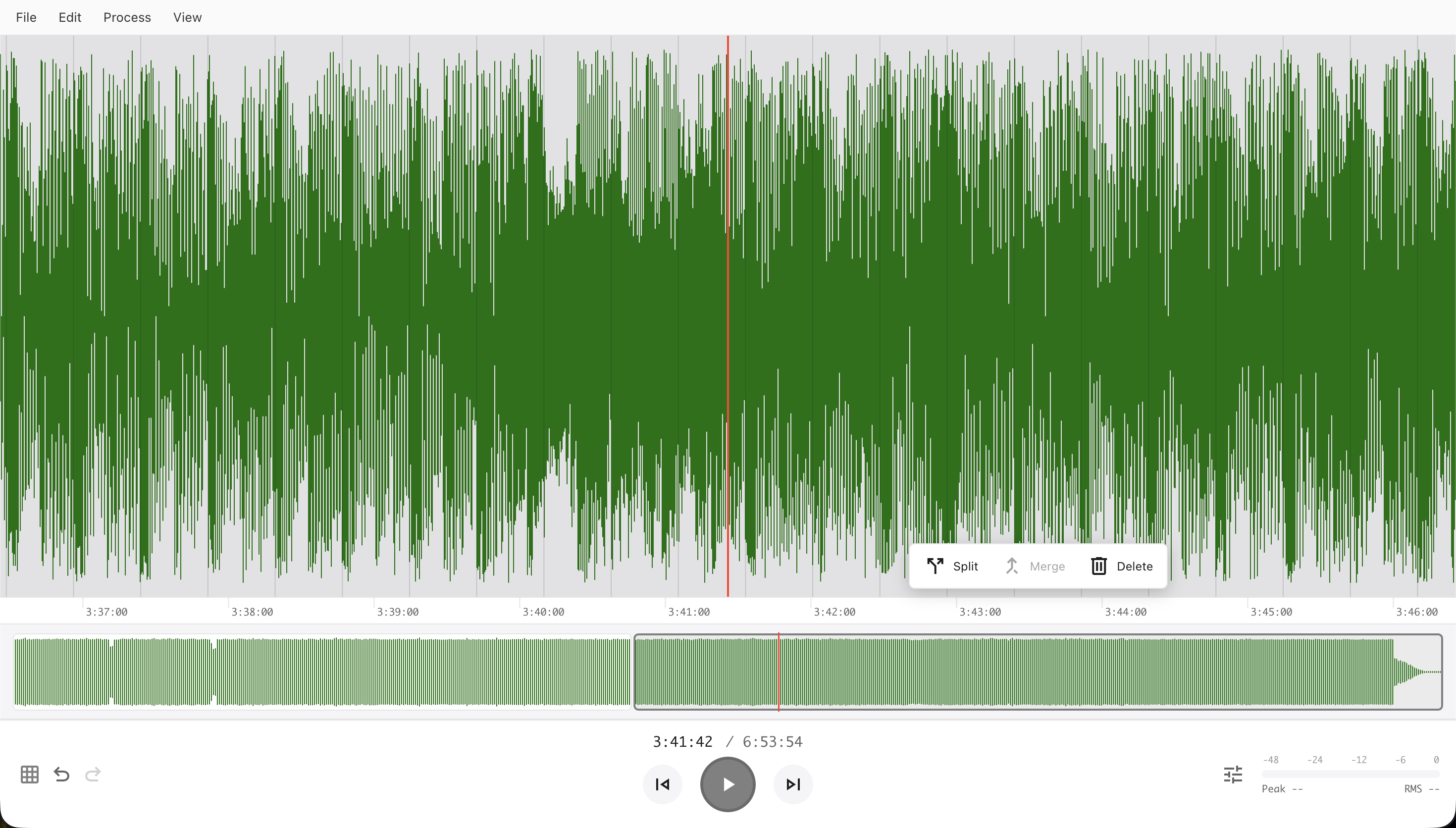
You shouldn't need to install a desktop app from 2002 just to trim a podcast intro. We rebuilt the experience from scratch — fast, focused, and browser-native.
Recording, waveform and transcript editing, cleanup, effects, and export, all in one tab. Every effect previews before it applies and undoes in one step.
Transcribe with Whisper or Grok through Puter in 19 languages. Click a word to jump there, select a phrase to select its audio, and press Backspace to remove it. A filler-word sweep finds every “um” and “uh” and removes them in one undoable step.
Capture a noise profile and reduce steady hiss, with previews of both the cleaned audio and what gets removed. Gate the gaps between phrases, notch out mains hum, and high-pass the rumble.
A 31-band Graphic EQ with presets, Bass and Treble, Compressor, Limiter, Normalize, Reverb, and Echo. Each one previews the selection, applies as a single undo step, and repeats with Cmd/Ctrl+R.
Pick your microphone, watch the input meter, and stop to drop the take on the timeline at the cursor. In desktop Chrome and Edge, stream the take to a WAV file you choose as you record, so length is limited by disk space rather than memory.
Split, merge, and trim regions, set each one's gain and fades, and rearrange with cut and paste. Your source audio is never touched. Try ten ideas, undo eight, keep the two that work. Nothing is rendered until you export.
Transpose without changing length, fit a clip to a target duration without changing pitch, or change speed and pitch together. Formant preservation keeps shifted voices sounding like voices.
Preview Cut plays the join as if the selection were already gone. Loop a passage, type exact start and end times, move edges to zero crossings, and step the cursor by the second from the keyboard.
Add point or range labels, edit them in a searchable list, and exchange them with Audacity as text. Then choose Export Multiple by Labels to download every chapter as its own WAV or MP3 in one ZIP, with filenames, durations, and archive size previewed first.
Scroll to zoom toward the pointer, drag the overview strip to pan and zoom, or fit the selection with one click. The waveform stays sharp from the whole recording down to single samples.
Detect Beats analyses the track and draws a marker at every beat. Snap your cuts to beats, whole seconds, or region boundaries, and correct the grid's BPM or offset by hand when a track needs it.
Render the whole timeline or just the selected passage, locally to disk or straight to your Puter drive, as 320 kbps MP3 or 16-bit WAV. A progress bar shows the render and lets you cancel.
Every change autosaves to your browser, so a closed tab costs nothing. Save an .aeproject file to keep the whole arrangement, audio, edits, labels, and transcript included, and reopen it on any device.
Install it from your browser and keep editing without a connection. It follows your system's light or dark theme, and updates arrive on their own without ever interrupting a recording or an export.
Every tool in the editor has a reference page: how to reach it, what each control changes, and the limits worth knowing before you rely on it.
Open, insert, replace, or record audio, including long takes saved directly to disk.
Explore the feature Start hereOpen cloud files and bring Voice Recorder audio and transcripts into the editor.
Explore the feature Start hereInstall the app, choose a theme, and understand which features depend on the browser.
Explore the feature Timeline and textCut, copy, paste, split, merge, trim, replace, and arrange audio precisely.
Explore the feature Timeline and textLoop a passage, preview a cut, detect beats, and refine edit boundaries.
Explore the feature Timeline and textTranscribe speech, select audio by words, and remove filler words in one undoable edit.
Explore the feature Effects and analysisTarget the right audio, set gain, normalize peaks, and repeat successful processing.
Explore the feature Effects and analysisControl level differences and peaks with adjustable dynamics processing.
Explore the feature Effects and analysisReduce steady background noise or quiet the gaps between phrases.
Explore the feature Effects and analysisRemove unwanted frequency ranges or shape tone with shelves and a 31-band equalizer.
Explore the feature Effects and analysisChoose whether pitch, duration, or both should change.
Explore the feature Effects and analysisAdd discrete repetitions or room ambience with control over the dry and wet sound.
Explore the feature Effects and analysisUnderstand the difference between muting, inserting quiet time, and removing excess silence.
Explore the feature Effects and analysisMix to mono, extract one channel, swap stereo, or duplicate mono to stereo.
Explore the feature Effects and analysisInspect a spectrum or insert tones, colored noise, and silence.
Explore the feature Save and shareMark points or ranges, exchange Audacity labels, and download named audio files in a ZIP.
Explore the feature Save and shareChoose a playable format, export locally or to Puter, and distinguish audio from project files.
Explore the feature Save and shareSave a portable editable project and understand what local autosave retains.
Explore the featureTour the window, then look up the timeline, effects, transcription, labels, project saves, and export options.
Browse all 21 docs →02 / GuidesClean up a voice recording, edit an interview by its words, combine takes, remove a hum, level an episode, or export named chapters.
Explore all 13 guides →Audio Editor is a Puter app. Puter is an open-source, browser-based personal cloud — your files, apps, and storage, all in a tab. No install, no lock-in, no servers to set up.
Audio you edit lives in your own Puter drive. Open from cloud, save back to cloud — same files, same place, every device.
Puter is open source. Self-host it, audit it, fork it. Your audio never leaves your browser unless you ask it to.
No installer. No update prompts. The editor loads as a webpage and runs at native speed, on any modern browser.
Learn more at developer.puter.com →
That's the entire onboarding. Free, no signup needed to start.